Connect Your Charger to Wi-Fi
Use the setup page's Wi-Fi page to connect the charger to a new Wi-Fi network, for example after you change your router or your Wi-Fi password. The MyPlugStream app can also do this over Bluetooth. See Change Wi-Fi or router.
Before you start
- The charger needs a 2.4 GHz Wi-Fi network, on channels 1 to 11. It cannot see 5 GHz-only networks. Most routers offer both under one name. See Network requirements.
- Have your Wi-Fi network's name and password ready.
- The charger must not be charging.
Connect from the hotspot
This is the usual case: the charger can't reach your Wi-Fi, so its hotspot is on.
- Join the charger's hotspot,
PlugStream-XXXX, and log in to the setup page. See Open and log in to the setup page. -
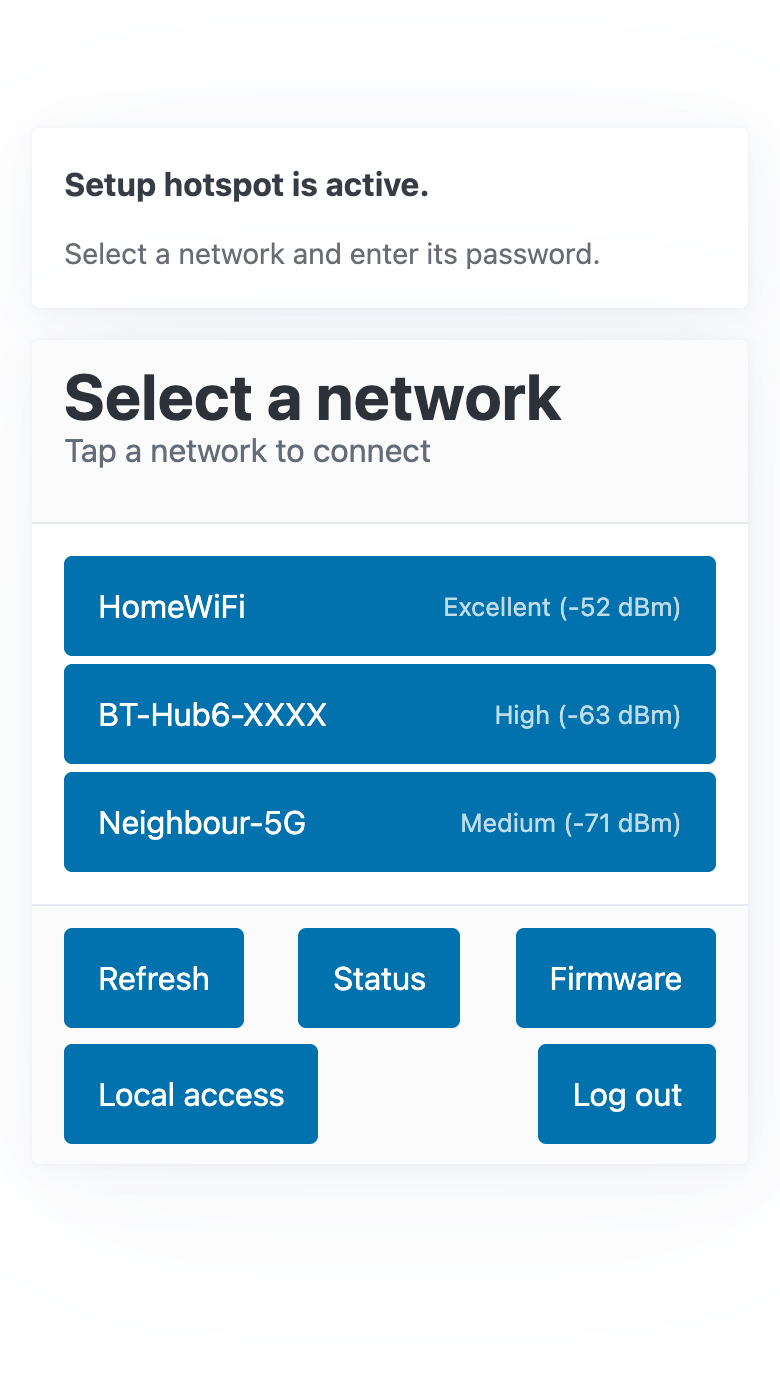
Tap Wi-Fi. The page says Setup hotspot is active and lists the Wi-Fi networks the charger can see, strongest first. Tap Refresh to look again.
-
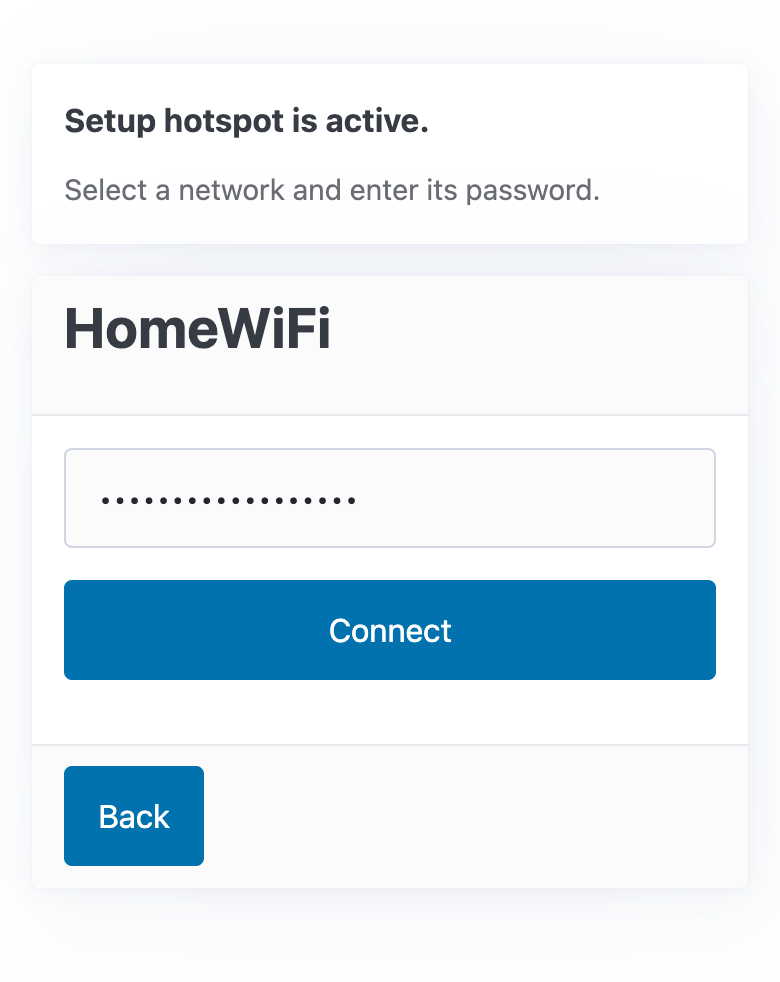
Tap your network, type its password, and tap Connect.
-
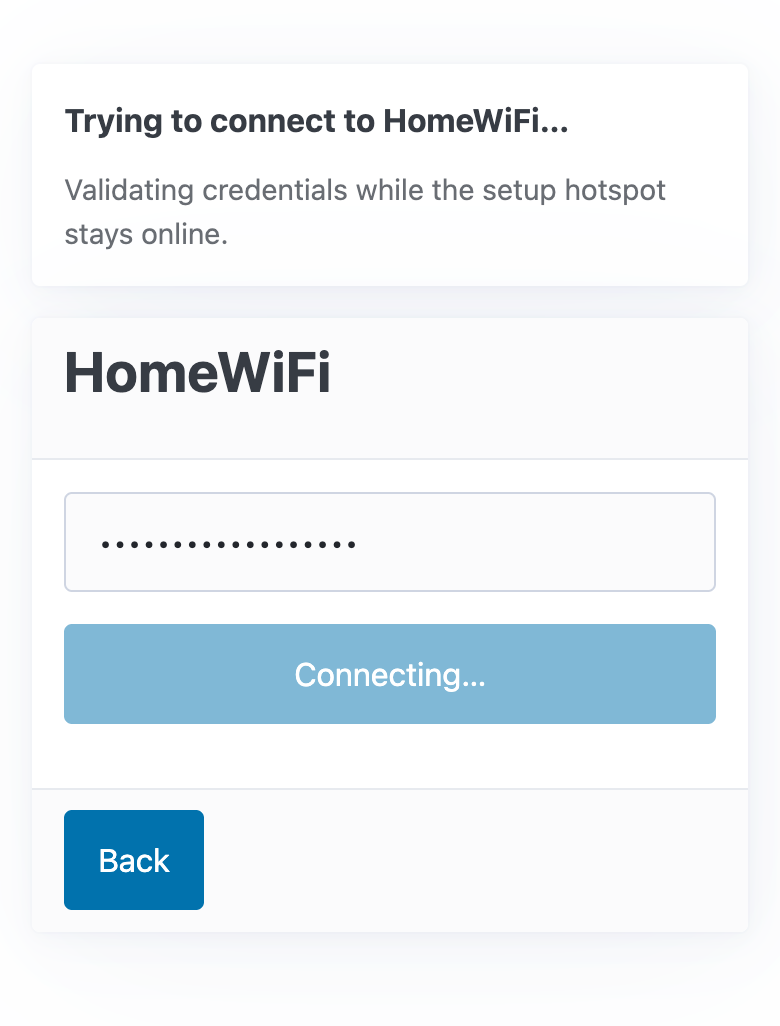
The charger checks the password while the hotspot stays on. The page says Trying to connect to your network.
-
When it works, the page says Charger connected to your network.
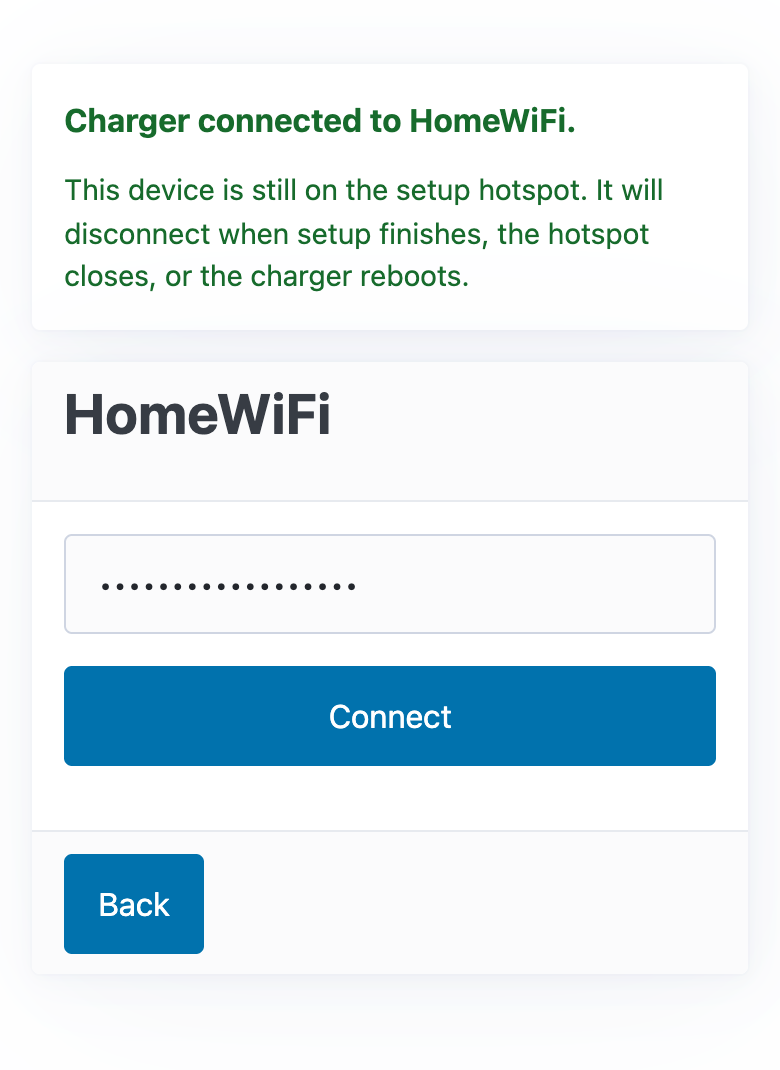
The hotspot then switches off, and your phone or laptop leaves it. The page calls your phone or laptop "this device". Within a few minutes the charger is back online in the app.
If it doesn't connect
The page says Couldn't connect to your network, with the reason.
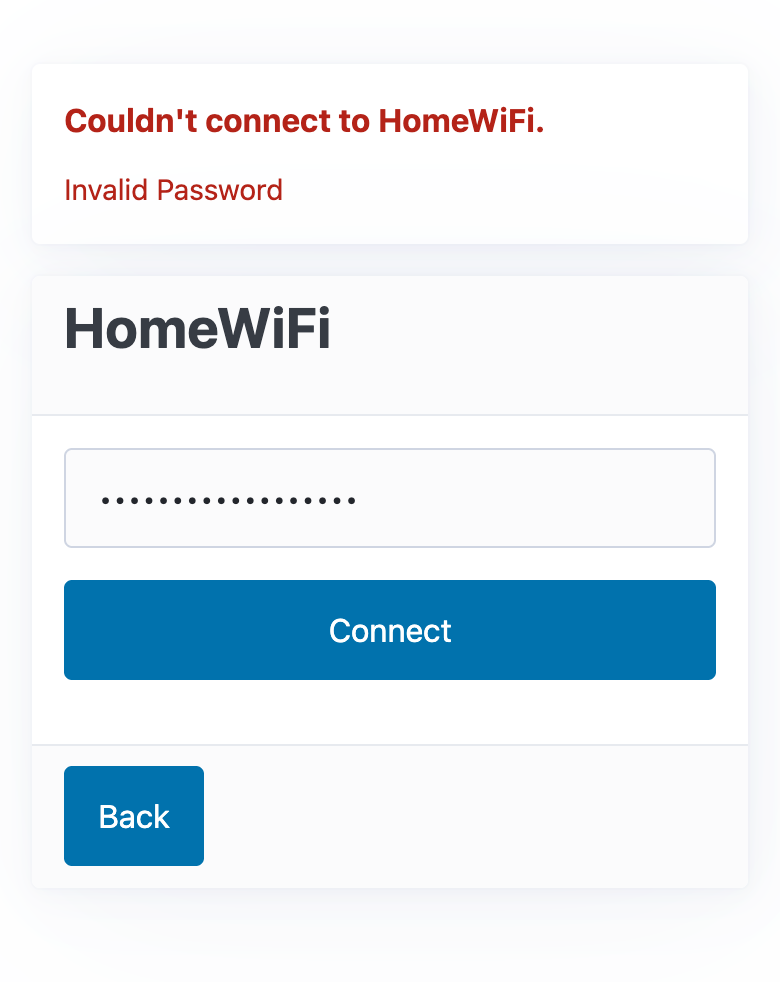
- Invalid Password: the Wi-Fi password is wrong. Check it, including upper and lower case, and tap Connect again.
- The network isn't in the list: move the router closer if you can, check that it offers 2.4 GHz Wi-Fi, and tap Refresh.
- It connects, but the charger is still offline in the app: check the cloud connection. See Check your charger's status.
On your home network
When the charger is already on your Wi-Fi, the Wi-Fi page says Charger connected to your network. It also says Setup hotspot is off. You can leave this page.
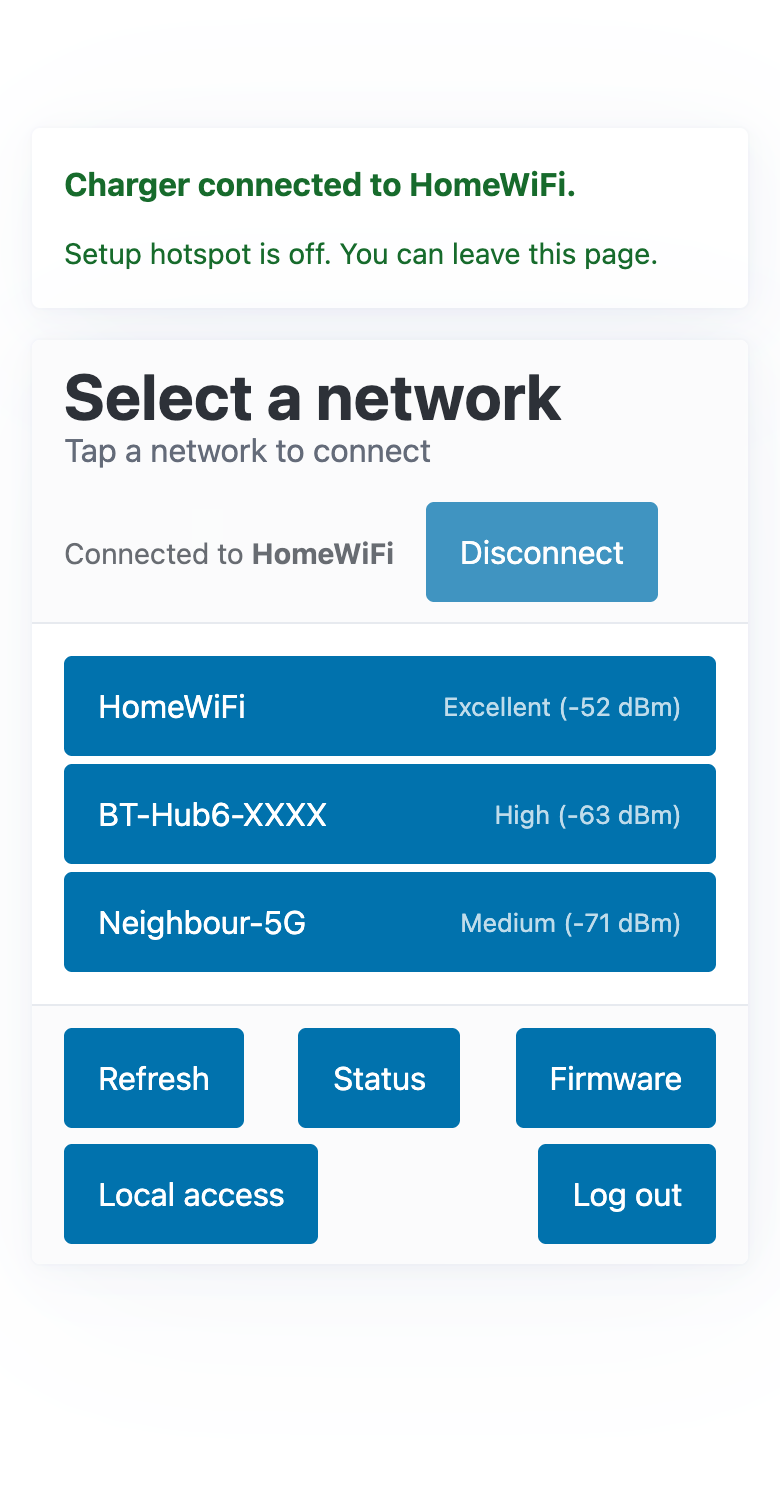
Disconnect forgets the network
Disconnect removes the saved Wi-Fi network from the charger, so the charger goes offline. The setup page then stops working on your home network, and the charger's hotspot comes on within a few minutes. Only use it if you are moving the charger to a different network, and have the hotspot password ready.
To move the charger to a different network, tap the new network in the list, type its password and tap Connect, as in Connect from the hotspot.