Check Your Charger's Status
The status page is the first page you see after you log in. It shows what the charger is doing right now, and it refreshes by itself.
- Open the setup page and log in. See Open and log in to the setup page.
- The Charger status page opens. The time next to Updated shows when it last refreshed.
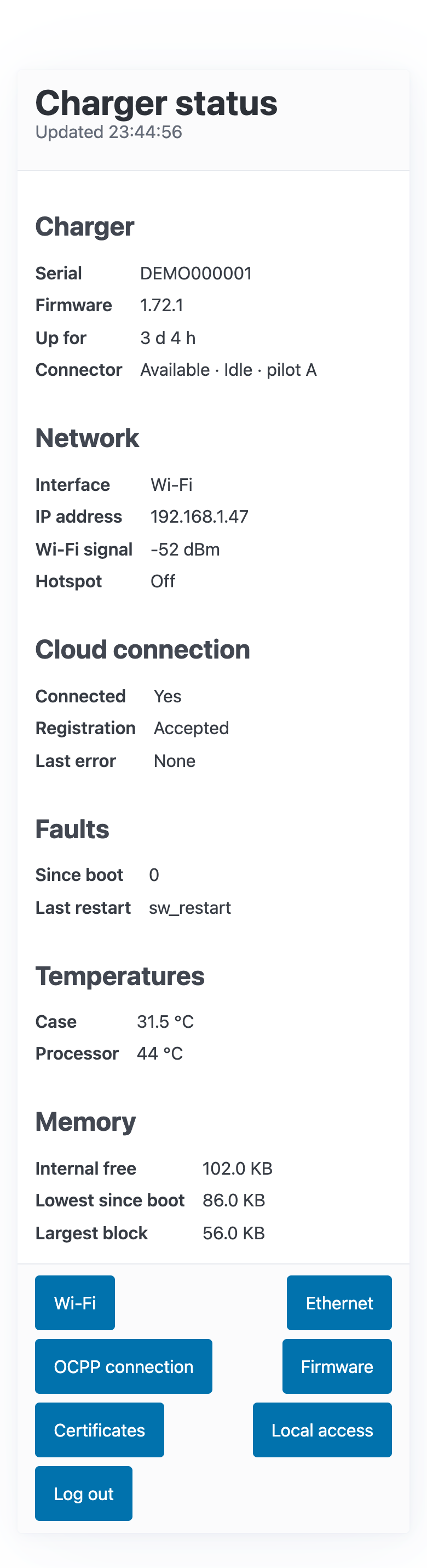
The buttons at the bottom open the other pages: Wi-Fi, Ethernet, OCPP connection, Firmware, Certificates and Local access. Chargers on firmware 1.73 or later also have Personal data.
What each item means
Charger
| Item | What it means |
|---|---|
| Serial | The charger's serial number. It is also your username for the setup page. |
| Firmware | The firmware version running now. |
| Up for | How long since the charger last restarted. |
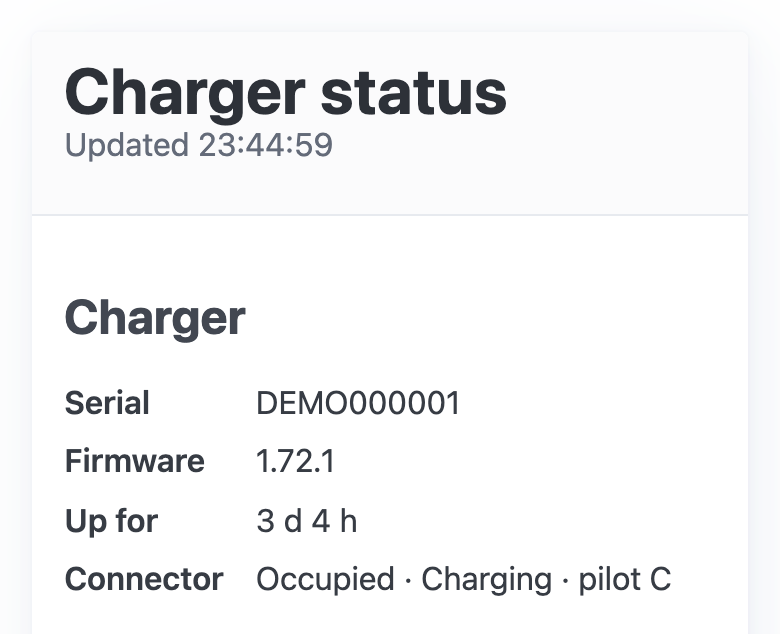
| Connector | Three parts, for example "Available · Idle · pilot A". The first two say whether the charger is free, in use or charging. Pilot is the charging signal between the charger and the car: A means no car is connected, B a car is connected but not charging, and C the car is charging. |
Network
| Item | What it means |
|---|---|
| Interface | How the charger is connected: Wi-Fi, Ethernet, or Not connected. |
| IP address | The charger's address on your network. |
| Wi-Fi signal | The signal strength in dBm. Closer to 0 is stronger: about -50 is excellent, -70 is fair, and below -80 is weak. A weak signal can make the charger drop offline. |
| Hotspot | Off, or On with the hotspot's address, 192.168.4.1. |
Cloud connection
The charger's connection to PlugStream, which the app and your charging schedules depend on.
| Item | What it means |
|---|---|
| Connected | Yes when the charger is connected to PlugStream. |
| Registration | Accepted once PlugStream has accepted the charger. Pending while it is waiting. |
| Last error | The last reason the connection failed, and how long ago. None is good. |
The page calls PlugStream's server the CSMS: the charge station management system. For example, "The CSMS address did not resolve" means the charger could not look up PlugStream's address. That usually means the network has no working internet connection.
Faults, temperatures and memory
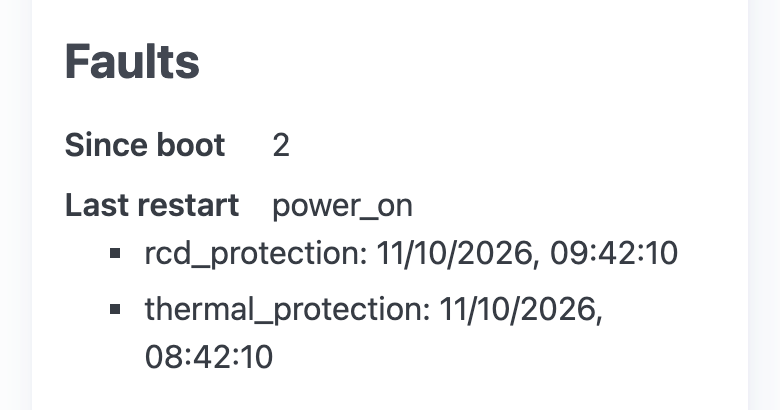
- Faults: how many faults the charger has recorded since it last restarted, why it last restarted, and the most recent faults with their times.
- Temperatures and Memory: for PlugStream Support.
Examples
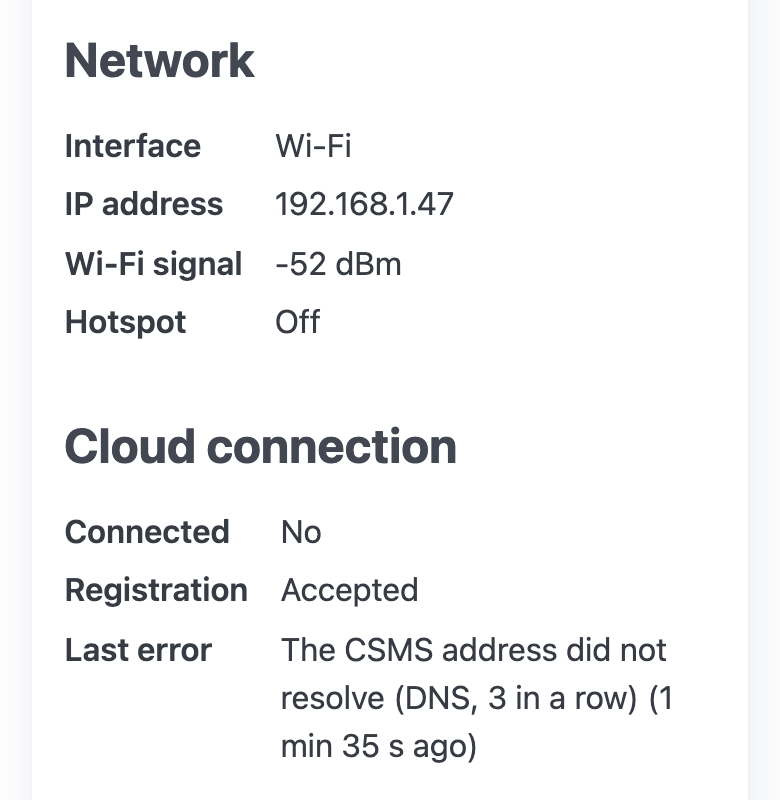
Online on Wi-Fi but not reaching PlugStream. The network works (Interface Wi-Fi, with an IP address), but Connected is No, and Last error gives the reason. Check that your internet connection works, then restart your router.
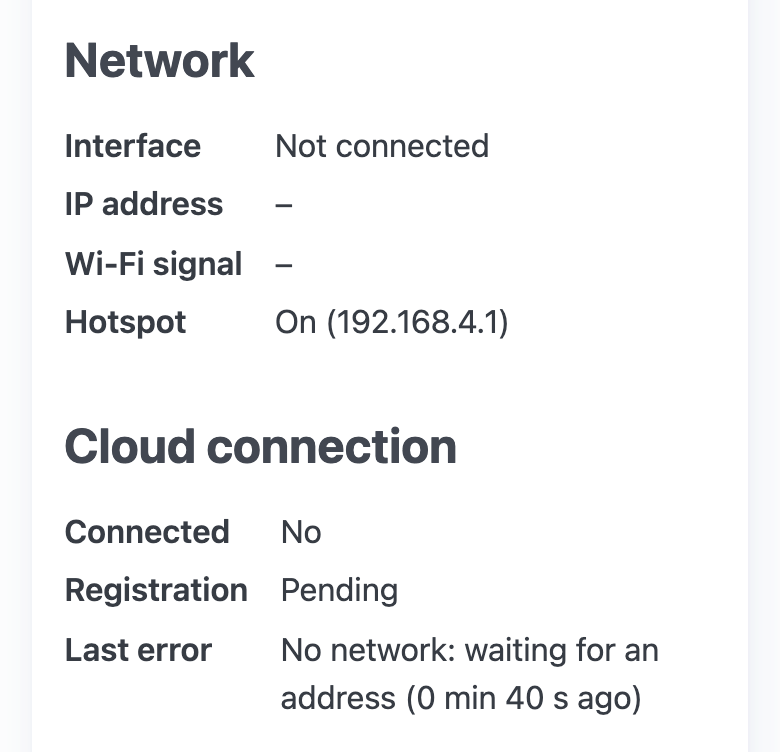
On the hotspot with no home network. Interface is Not connected and Hotspot is On. Connect the charger to your Wi-Fi. See Connect your charger to Wi-Fi.
Charging. Connector shows Charging and pilot C.
Faults. The charger lists recent faults by name, for example rcd_protection (the residual-current protection tripped) or thermal_protection (the charger got too hot and limited or stopped charging).
If you see faults you don't expect, or a red fault light, see What does a red fault LED mean? and send a screenshot of this page to PlugStream Support. See What screenshots should I send to Support?