Check a Charger's Certificates on the Setup Page
The Certificates page shows the certificates the charger uses to connect securely to its server. It is read only: nothing can be changed here. Use it when PlugStream Support or the charge point operator asks you to confirm a certificate.
You need the charger's serial number and its local access password. See Open and log in to the setup page.
What it shows
- Log in to the setup page and tap Certificates.
- The page has two parts.
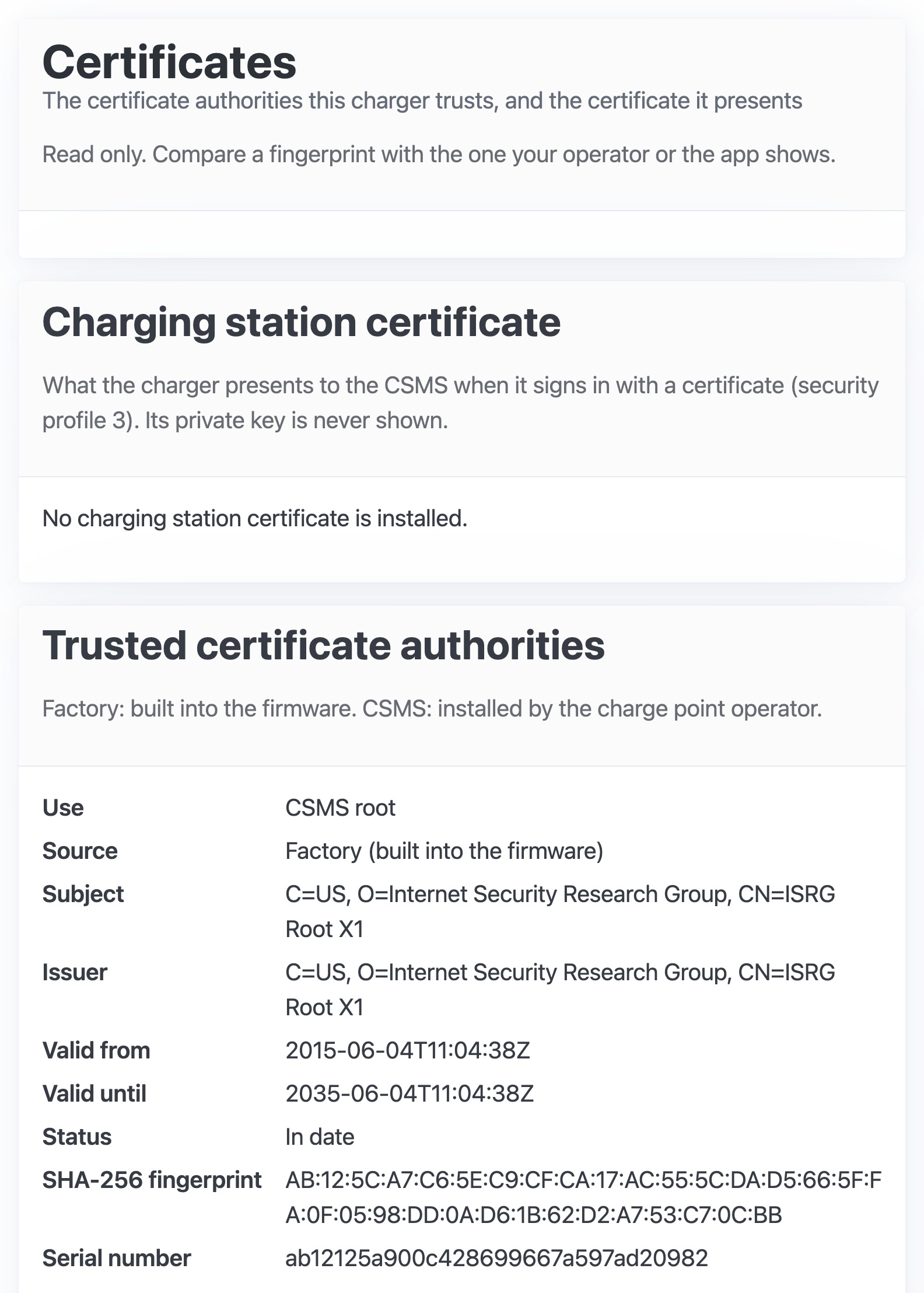
Charging station certificate. The certificate the charger presents to the server when it uses security profile 3. Its private key is never shown. Most chargers have none, and the page says No charging station certificate is installed. When one is installed, it shows its subject, issuer, validity, status, SHA-256 fingerprint and serial number.
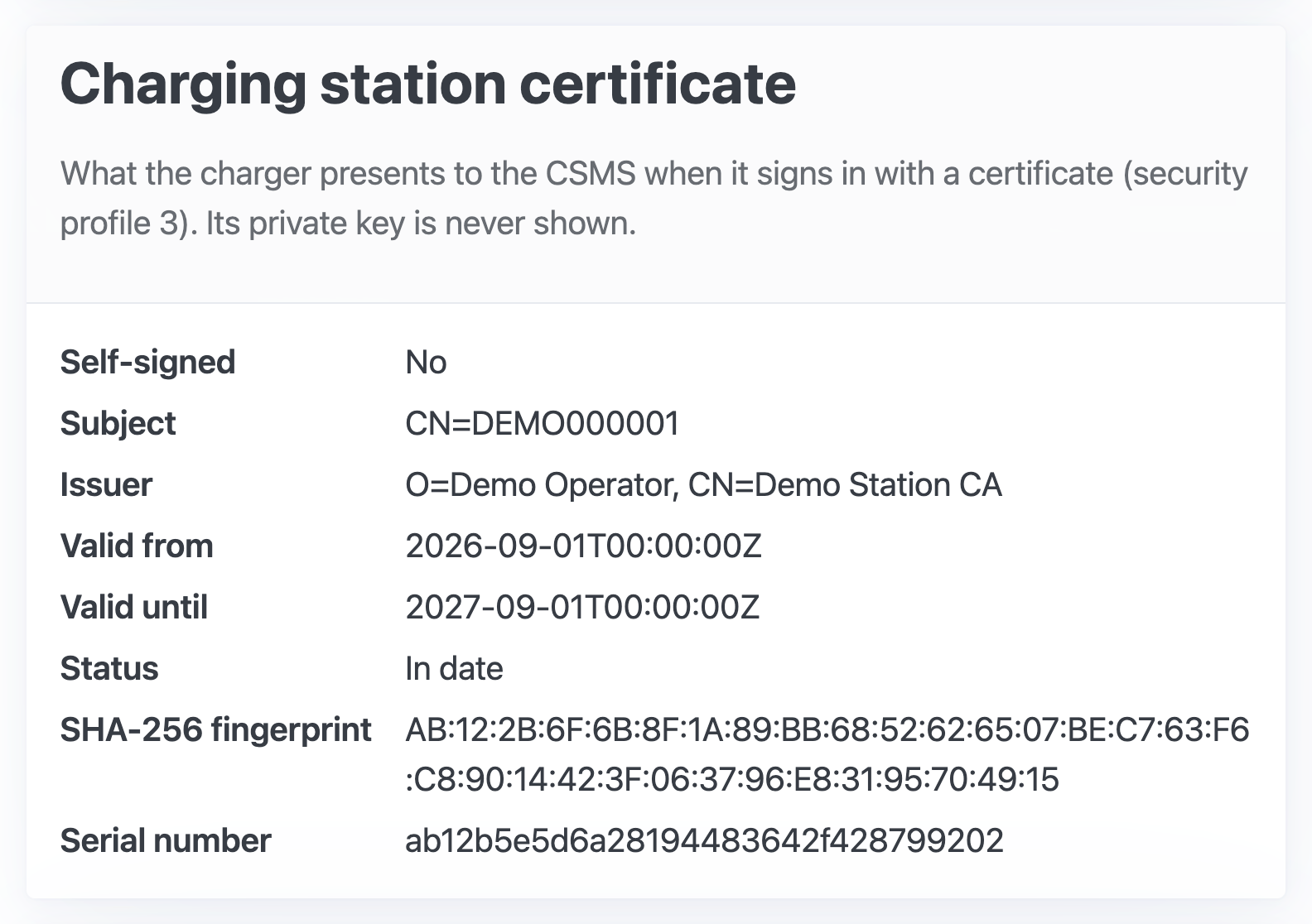
Trusted certificate authorities. The authorities whose certificates the charger accepts from its server. Each entry has a Source:
- Factory (built into the firmware): the public roots every PlugStream charger trusts;
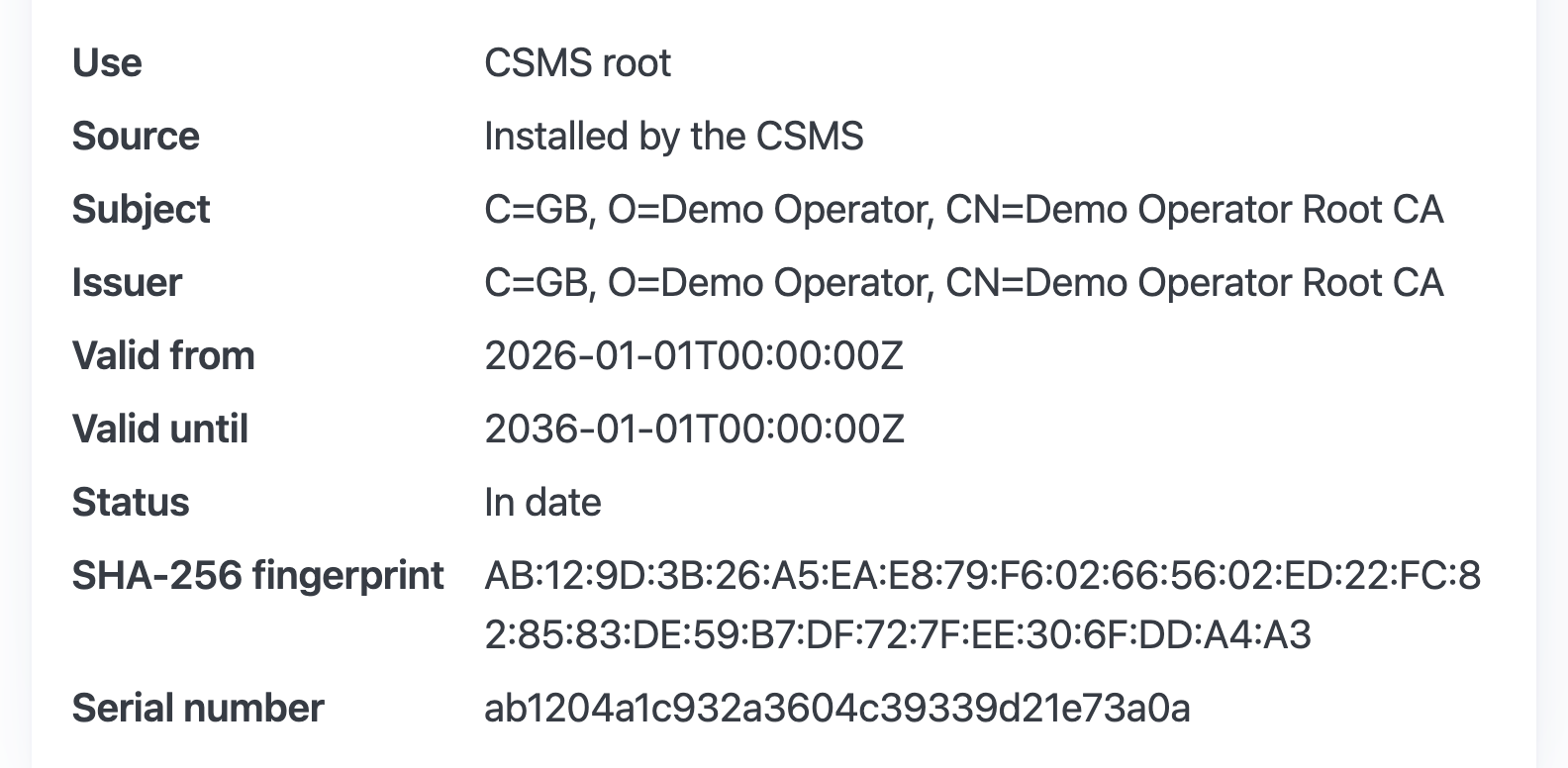
- Installed by the CSMS: a root the charge point operator added.
Read the entries
- Valid from and Valid until are in UTC, written as date then time, for example
2035-06-04T11:04:38Z. - Status says whether the certificate is in date now.
- SHA-256 fingerprint identifies the certificate exactly. To confirm a certificate, compare it with the fingerprint the operator or PlugStream Support gives you. Every pair of characters must match. On a phone, a long fingerprint wraps onto several lines.
The fingerprints in the pictures here are from a demonstration charger. Never compare against them.